Data Faker for Sheets
Create thousands of rows of fake data directly in Google Sheets. No outside connections or API keys needed, just install our free add-on.
100% free forever
No AI or external API keys required
Unlimited usage with no registration or sign-up
Data Faker for Google Sheets Features
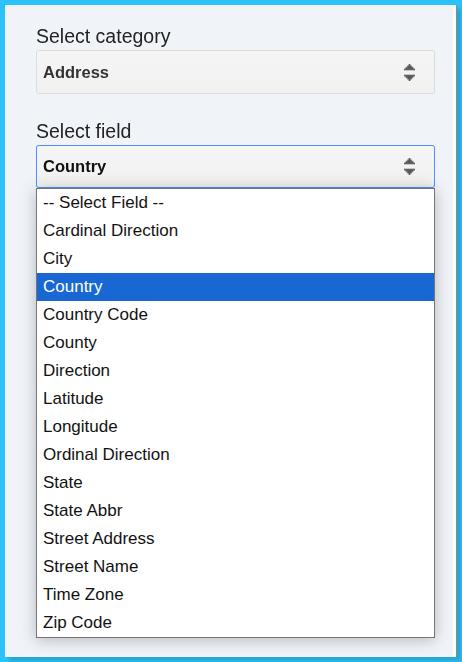
Over 150 fields to choose from
Choose from over 150 data fields spanning popular use-cases like names, dates, addresses, cities, states, email addresses, phone numbers, random numbers and much more.
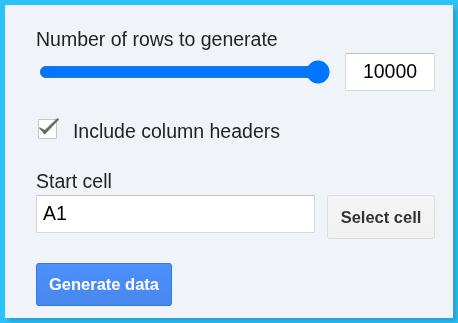
Generate up to 10,000 rows at a time with no total limits
At any one time, you can generate up to 10,000 rows of fake data. If you need more data than that, you can select the where you left off, disable table headers and simply append more data. Repeat as many times as you want.
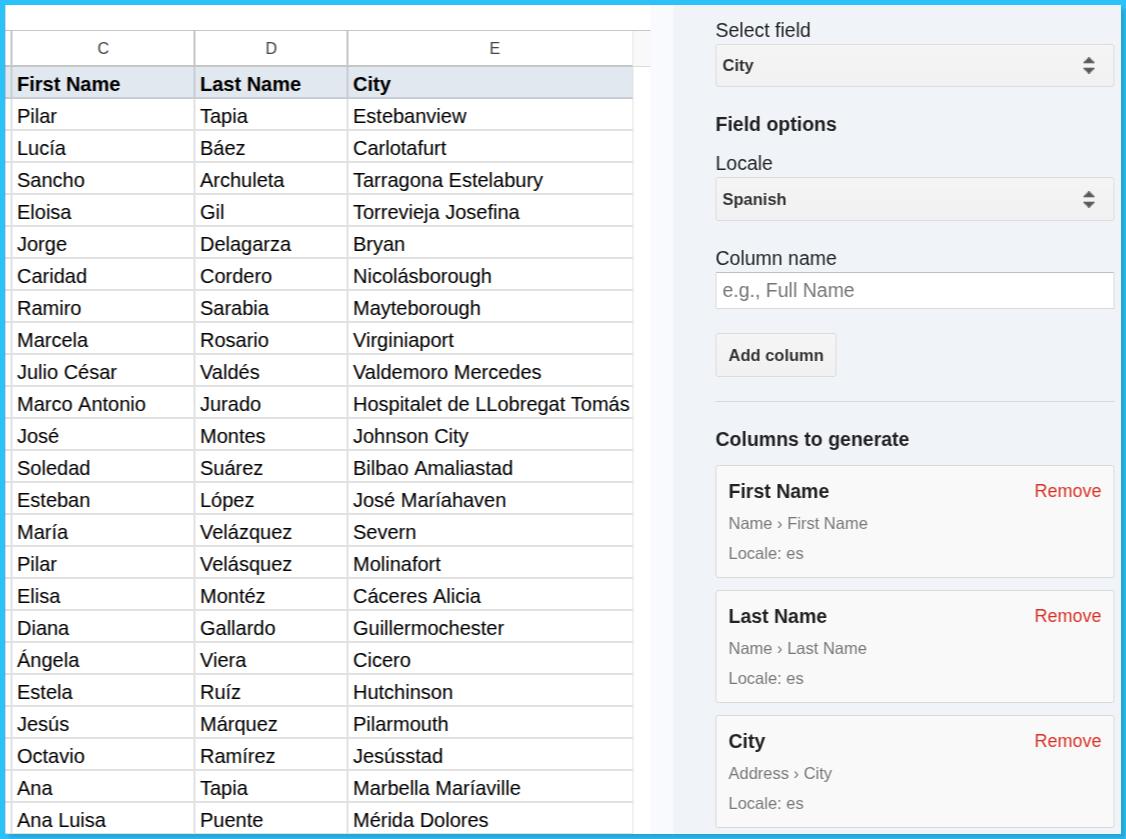
Localization to other languages available
Many of the field types like addresses and names support generating fake data in different languages making it easier to localize your data.
How to Generate Dummy Data in Google Sheets using Data Faker
Step 1: Install Data Faker for Sheets
In any Google Sheet, navigate to Extensions > Add-ons > Get add-ons and search for Data Faker for Sheets. Once you’ve found it, simply click install and follow the prompts.
Step 2: Launch the Add-on in Google Sheets
Once installed, you will see Data Faker appear in the top bar of your Sheet next to Help. Simply click that and select Open, which will open Data Faker in a sidebar in your Google Sheet.
Step 3: Generate Dummy Data
With the sidebar open, select the category and field that you would like to add to your Sheet and click ‘Add Column’. For every field that you have added, you will see a list of what columns will be generated. Once you are ready, you select the amount of rows of data you want to generate and click ‘Generate Data’.